
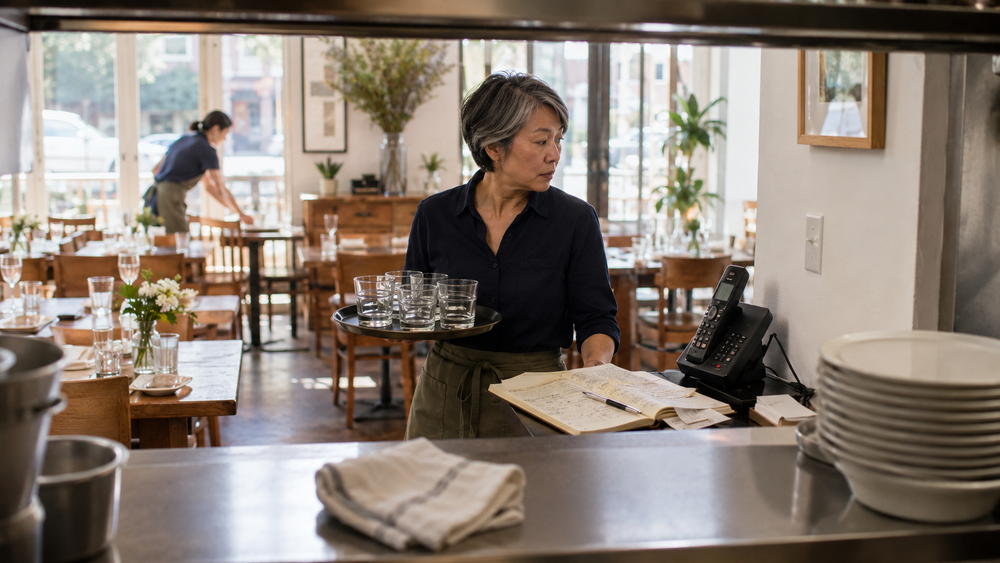
You can run a restaurant with a notebook, a phone, and a good memory. People have done it for decades, and plenty still do it well. When people ask whether small restaurants need reservation software, the honest answer is: not always. The real question isn't whether it's possible – it's whether it's still the best use of your time in 2026.
In short: No, you don't strictly need reservation software to operate an independent restaurant. A paper book or a shared calendar can handle the reservations themselves. What it can't easily do is remember guests, run consistent reminder workflows, or free up whoever's answering the phone during your busiest hour. Whether that trade-off is worth paying for depends on your call volume, your staffing, and how much guest history you actually want to keep.
Key Takeaways
- A notebook works fine for pure scheduling – the limits show up in guest memory, reminders, and phone time.
- Software doesn't fix a restaurant with bigger problems. It removes friction from one specific job: managing who's coming and when.
- Operators tend to see technology as useful, but guests are more divided on whether it actually improves their experience (NRA, 2026 State of the Restaurant Industry), which is a reason to buy tools that remove real friction rather than ones that add visible complexity.
- The clearest sign you're ready: your host or manager spends real time each week just managing the phone and the book, not serving guests.
- The clearest sign you're not: you take a handful of reservations a night and know most of your regulars by name already.
What "Reservation Software" Actually Means for an Independent Restaurant
Strip away the marketing language, and reservation software for an independent restaurant does three things: it takes bookings without someone answering a phone, keeps a record of who's coming and when they last visited, and supports reminder or confirmation workflows so fewer bookings depend on memory alone. Some platforms bundle in a website widget, a waitlist, or reporting on busy nights. None of that is complicated – it's the same three jobs a good host has always done, just recorded somewhere other than a paper book and a Post-it.
That's worth saying plainly because a lot of the marketing around this space implies you're falling behind without a full platform. You're not. You're deciding whether to formalize a process you're probably already doing by hand.
Where the Notebook Still Works Fine
If you take a manageable number of reservations each night and your host can handle them without interrupting service, there's nothing broken here. A paper system costs nothing, has no learning curve, and doesn't depend on the internet staying up. The tradeoff is that the knowledge stays trapped in the book and in whoever remembers how to read it. Plenty of well-run independent restaurants operate this way for years.
The notebook also holds up fine if most of your business is walk-in anyway, or if your regulars call ahead and you already recognize their names and preferences without a system telling you.
Where It Starts to Break Down
The cracks usually show up in three places, and they rarely show up all at once – they build.
Phone time. Someone has to be available to pick up during the exact hours you're busiest seating and running food. Every call answered is a table not being checked on. If your host is fielding reservation calls mid-rush, that's a real cost even if it's invisible on a P&L.
Guest memory. A notebook tells you who's coming tonight. It doesn't tell you that the couple at table 6 comes in every anniversary, or that a regular has a shellfish allergy you noted three visits ago and then lost track of. That kind of memory is what turns a one-time guest into a regular – and it's genuinely hard to keep in your head past a certain number of covers. The risk gets bigger when staff changes: a regular who's obvious to one host may be invisible to the next one if the history only lives in someone's head.
Confirmations and reminders. No-shows and last-minute cancellations hurt more at an independent restaurant with a handful of tables than at a 200-seat dining room that can absorb the loss. A simple confirmation or reminder can help surface some cancellations earlier, giving the team a better chance to refill the table.
What It Actually Costs You – Not Just in Dollars
Here's the part most comparison articles skip: software isn't free even when the monthly fee is small. There's a setup period. Someone on your team has to learn a new system during a season when nobody has spare time. And it needs to earn its keep, or it becomes one more subscription nobody remembers signing up for.
This is where it's worth being honest about the data. Operators are generally positive about restaurant technology, but guests are more divided on whether it improves the experience. The National Restaurant Association's research found that eight out of 10 operators say technology gives them a competitive advantage. The same 2026 industry reporting also shows a more cautious guest view: just over 40% of consumers said technology improves the restaurant experience, 38% said it does not, and 21% said it makes no difference. That gap between operator confidence and guest experience is worth sitting with before you commit to anything: the tool has to solve a problem you actually have, not one you read about.
The honest test isn't "would this help." Almost anything helps in theory. The test is whether the specific friction (phone tag, forgotten regulars, avoidable no-shows) is costing you more in time and lost covers than the software costs in dollars and setup effort.
How to Decide, Without a Sales Pitch
A useful rule of thumb: reservation software is worth considering when the cost of phone time, missed guest history, no-shows, or staff handoff becomes higher than the software's monthly cost and setup effort. A notebook is still fine when reservation volume is low, the team knows most guests, and the book isn't creating service interruptions.
Ask yourself these questions before you look at a single product:
- Does someone spend real, recurring time each week just managing bookings by phone?
- Have you lost track of a regular's preferences or missed recognizing them because there's no record?
- Are no-shows or late cancellations costing you tables you can't easily refill?
- Would a consistent reminder or confirmation workflow actually change guest behavior, or would people ignore it the same way they ignore a call?
- Do you have someone on staff who can own the system, even loosely, so it doesn't get abandoned after week two?
If you answered yes to two or more, software is probably solving a real problem for you. If you answered no to most of them, the notebook is doing its job – leave it alone.
Restaurant Reservation Checklist: Signs You're Ready to Move Off Paper
- Your host or manager spends 30+ minutes a shift on reservation calls alone
- You've lost track of a regular's history or an allergy note more than once
- No-shows or late cancellations are a recurring line item you notice, not a rare event
- You're already using a phone or shared doc as an informal "guest list" nobody else can see
- You want a record of who your regulars are that survives a staff turnover
- You're comfortable someone on your team will actually maintain the system
- Your reservation volume is trending up, not flat
Frequently Asked Questions
Do independent restaurants really need reservation software?
No. Plenty of independent restaurants run entirely on a paper book and do fine, especially at lower reservation volumes. Software addresses specific friction points such as phone time, guest memory, and reminders, not a competitive requirement.
What's the real difference between a notebook and reservation software?
A notebook records who's coming tonight. Software typically adds guest history across visits, reminder workflows, and a way to take bookings without someone answering the phone. The core job (knowing who's coming) is the same either way.
How do I know if my restaurant has outgrown a paper system?
The clearest signal is time, not size. If reservation calls are eating into service hours, or you keep losing track of regulars' preferences, that's the sign, regardless of how many seats you have.
Will reservation software reduce no-shows on its own?
Not on its own. Reminders and confirmations can help guests cancel earlier or remember the booking, but persistent no-show problems usually require clear cancellation terms, deposit policies, or card-hold rules depending on your format and market.
When is a notebook still enough for restaurant reservations?
A notebook can still be enough when reservation volume is low, the same person usually manages bookings, most guests are walk-ins, and the team isn't losing time to phone calls, missed notes, or forgotten guest history.
Is it expensive to switch from paper to software?
Costs vary widely by platform, and most charge a monthly fee rather than a large upfront cost. The bigger cost for most independent restaurants is staff time during setup and the first few weeks of learning a new habit.
What should I look for if I do decide to switch?
Look for something that keeps a simple guest record, supports reminder or confirmation workflows, lets you access or export your guest data, and doesn't require you to relearn your whole operation. If a platform's main selling point is features you'll never use, that's a sign to keep looking.
How ToBeOut fits in: ToBeOut is designed for the moment when a paper book is no longer enough, but a complex reservation platform feels like too much – direct reservations, one booking list, guest history, and follow-up workflows in one place. See how it works.
Sources and further reading:
- National Restaurant Association, 2026 State of the Restaurant Industry – via Restaurant Business Online
- National Restaurant Association, 2026 State of the Restaurant Industry, summarized via restaurant.org